
Telehealth lets adults see a licensed clinician from home, whether by secure message, phone, or video. It is easier to start than many people expect, and a few simple steps make the first visit smooth. This beginner’s guide explains the main formats, how to get set up, and what to expect before, during, and after your appointment.
Telehealth for Adults: The Main Ways to Connect
Mayo Clinic describes several formats. Secure messaging lets you exchange questions with your care team about a condition, medications, or a follow-up, and clinicians usually reply within 24 hours. A video visit at home is booked like an in-person appointment, and you can upload photos or videos, such as of a rash. A video visit at a clinic lets a specialist join online, which helps if your internet is unstable. On-demand care through a mobile app is typically available around the clock. The benefits include saved drive time, less worry about weather, and continuous care with your team, even when you travel.
Getting Set Up for Your First Visit
Setup takes only a few minutes. HHS recommends testing your internet connection and device ahead of time, closing other apps, and picking a calm room where you feel comfortable speaking openly. Adjust your lighting so your clinician can see you, prop your device on a stable surface, center your face on the screen at eye level, and test your speakers or earphones. Write down your medications and doses, your questions, and any accommodations you need, such as closed captioning. Sign on early so you have time to fix any problems. A simple checklist helps:
- Test your device, camera, sound, and internet
- List your medications, doses, and questions
- Sign on early from a private space
What to Expect During and After a Telehealth Visit
The American Heart Association explains that your provider may ask about areas such as breathing, stomach, mood or memory, muscles and joints, and skin. A virtual exam can be simple. You may be asked to stick out your tongue, point to a bump or rash, or move your neck or limbs. Afterward, your provider may recommend bloodwork or an in-person follow-up. Your information stays protected, because HHS states that telehealth visits are as private as in-person visits and that HIPAA protects what you share. The patient portal is the best place for follow-up messages, and you can ask your provider how quickly to expect a reply. Writing down next steps while you are still on the call helps you remember them.
Frequently Asked Questions
What Is Telehealth?
Telehealth means taking care of your health with a licensed clinician through video, phone, or secure messaging instead of an office visit. Many adults use it for follow-ups, routine questions, and ongoing care.
What Equipment Do I Need for Telehealth?
A phone, tablet, or computer with a reliable internet connection, a working camera, and speakers or earphones. HHS suggests testing your device and connection before the visit and closing other apps.
Is Telehealth Private?
HHS states that telehealth visits are as private as in-person visits and that HIPAA protects what you share. Choose a private location and use your provider’s patient portal for messages.
What If My Video Does Not Work?
Send your provider a message or call their office, and they can tell you the next steps. HHS suggests signing on early so you have time to solve problems before the appointment.
Good to Know
Telehealth is not right for every situation. Emergencies, severe symptoms, and conditions that need a hands-on exam call for in-person care, so call 911 or go to the nearest emergency room when needed. Tell your clinician about all medications, allergies, and conditions, and mention if you are pregnant or breastfeeding. Avoid sites that sell prescription drugs without a prescription.
Try Telehealth With a Licensed Clinician
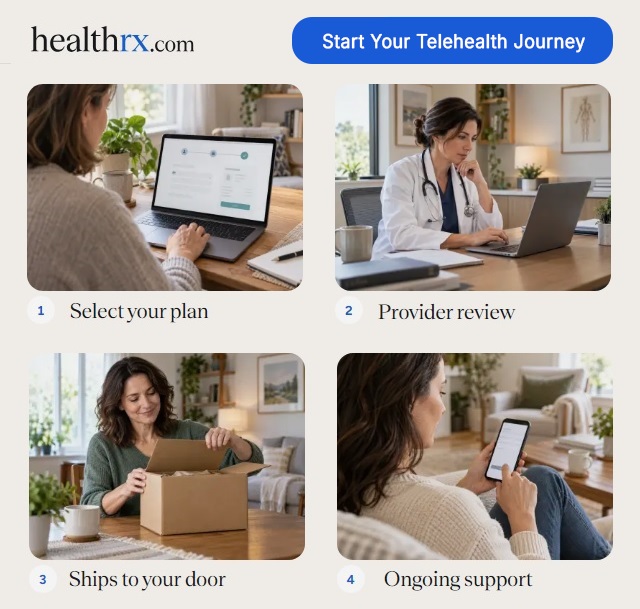
Ready to try telehealth? Complete an online assessment, have an independent licensed clinician review your health history, and, when a prescription is appropriate, receive your medication from a licensed pharmacy that delivers to your door. Take the first step today and explore your options.
This article is for education only and is not medical advice.